![full logo - DB (1).png]](https://support.bucketlistrewards.com/hs-fs/hubfs/Bucketlist%20Logo/full%20logo%20-%20DB%20(1).png?height=40&name=full%20logo%20-%20DB%20(1).png)
Step-by-Step Integration Instructions
1. Request a Magic Link from your Bucketlist Onboarding Manager
- Your Bucketlist rep will be able to initiate the integration by sending you a magic link through a site called Merge
- You must be an Admin in your HiBob account in order to complete these steps
2. Follow these instructions via Merge to setup a Service User and Permission Group. You will need to do this before completing the steps in the Magic Link
- Add a new service user (if one does not already exist).
- Assign read-only permissions for employee data, including fields like name, job title,
department, manager, start date, and location.
3. Follow the steps in the Magic Link to setup the integration from your end.
- You will need to provide your Service Account User ID and Service Account Token
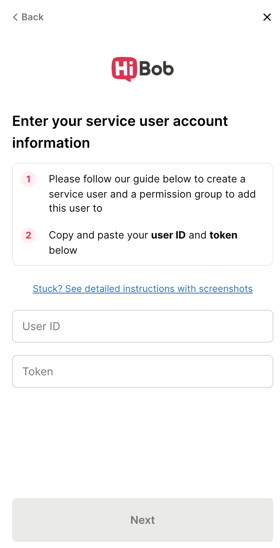
4. Once all of these instructions are completed let your Bucketlist rep know.
- Your Bucketlist rep will now complete the integration steps on their end. This may include confirming what Groups/Teams you want to be included in the Bucketlist site. Please note that not all Groups/Teams can be brought in but we will confirm what the system allows us to sync.
What’s Synced from HiBob
|
Bucketlist Field |
HiBob Fields |
|---|---|
|
First name |
|
|
Last name |
|
|
|
|
|
Employee Id |
|
|
User permission |
Defined if the user has a manager or not: manager or employee |
|
Date of birth (optional) |
|
|
Start date |
Mapped via field mapping from |
|
Supervisor id |
|
|
Groups |
|
|
Country |
|
|
Employment status |
|