-4.png?width=300&height=97&name=bucketlist-full-logo%20(2)-4.png)
For Platform Administrators:
This article is intended for Bucketlist platform administrators. If you are an employee or end-user, some features or settings described here may not be available to you.
Client requirements
- The client must be one of the supported hosts for Outlook add-ins. The following clients support add-ins:
- Outlook 2013 or later for Windows
- Outlook 2016 or later for Mac
- Outlook for iOS
- Outlook for Android
- Outlook on the web for Exchange 2016 or later and Office 365
- Outlook Web Access for Exchange 2013
- Outlook.com
- The client must be connected to an Exchange server or Office 365 using a direct connection. When configuring the client, the user must choose an Exchange, Office 365, or Outlook.com account type. If the client is configured to connect with POP3 or IMAP, add-ins will not load.
Mail server requirements
If the user is connected to Office 365 or Outlook.com, mail server requirements are all taken care of already. However, for users connected to on-premises installations of Exchange Server, the following requirements apply.
-
Microsoft 365 / Exchange Online (most customers): no mail-server configuration is needed. The Bucketlist add-in does not use or require Exchange Web Services (EWS) — it is a modern Office.js web add-in that communicates only with Bucketlist over HTTPS. Microsoft's retirement of EWS in Exchange Online (October 2026) does not affect the add-in.
On-premises Exchange Server only: Microsoft's add-in platform requires Exchange 2016 or later with EWS enabled and reachable by Outlook clients. This is a Microsoft platform requirement for running any Outlook web add-in on-premises, not a Bucketlist dependency.
Add-in server requirements
Add-in files (HTML, JavaScript, etc.) can be hosted on any web server platform desired. The only requirement is that the server must be configured to use HTTPS, and the SSL certificate must be trusted by the client.
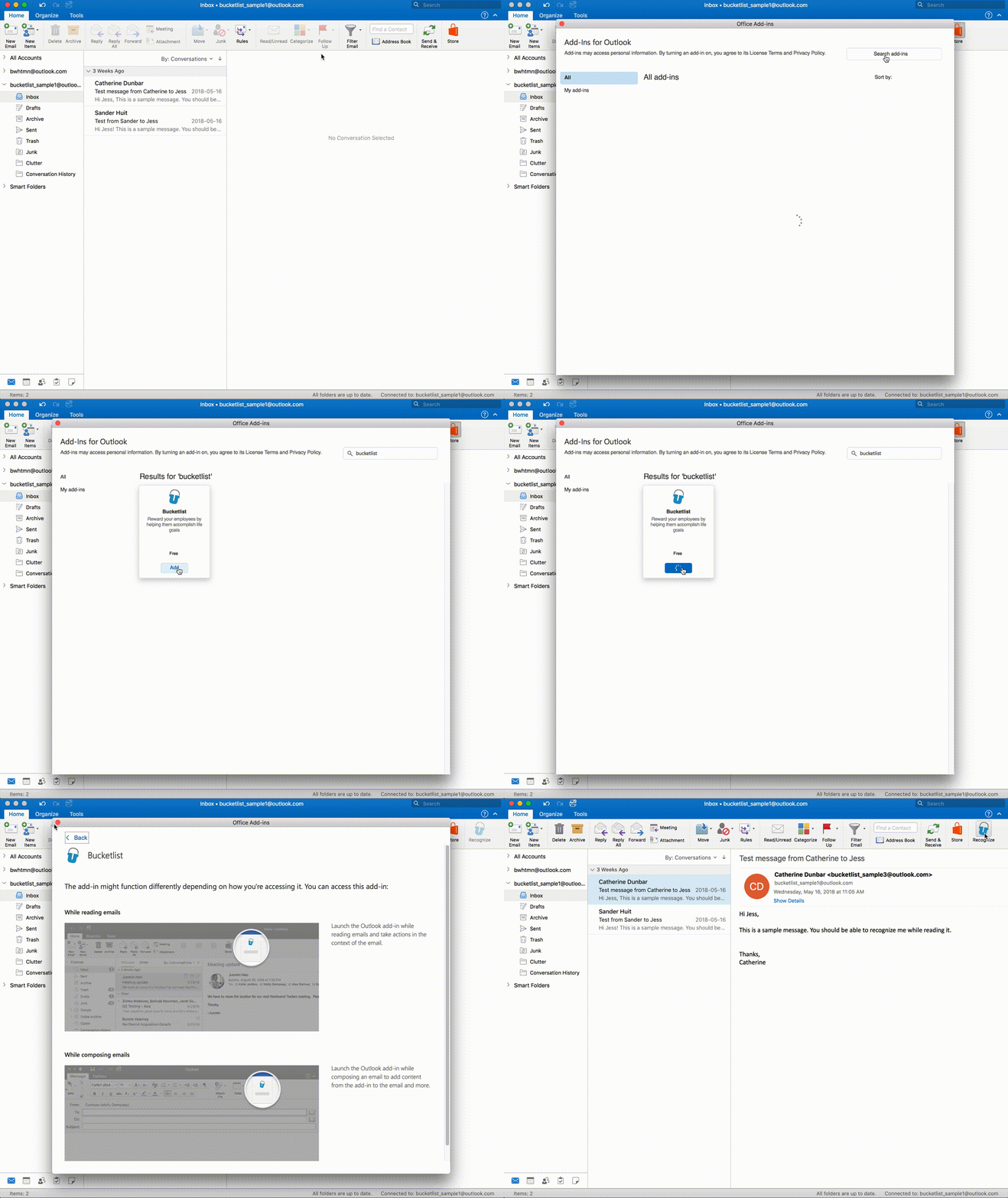
How to Install the Outlook Add-in