-4.png?width=300&height=97&name=bucketlist-full-logo%20(2)-4.png)
Are you looking to determine the ROI for Bucketlist, or how your team/company is doing in terms of recognition? Or looking to keep your managers engaged in recognition while making it easy? Look no further than the Insights Dashboard & Culture Coach Emails.
The Insights Dashboard allows you to view company-wide recognition data, and the ability to dig deeper into recognitions within teams.
Culture Coach is a fully automated monthly recognition digest sent directly to your managers.
Insights
Insights can be accessed by clicking on the Insights tab on the left hand navigation bar.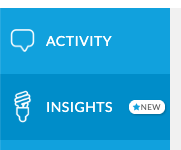
Currently there are three dashboards. Click on each tab to navigate between the dashboards using the tabs at the top. 
These dashboard contain:
- Company Dashboard – company-wide recognition activity, with a summary of recognitions over time and a departmental breakdown for the past year.
- Team Dashboard – team-wide view of recognition activity, including a summary of recognitions over time, and leaderboards.
- Manager Dashboard – focused recognition information for direct reports of the person viewing the dashboard.
Insights - Company Dashboard
The company dashboard will show company-wide recognition activity, with a summary of recognitions over time and a departmental breakdown for the past year.
Note: You need permissions to view the insights dashboards, if you need help setting up insights please reach out to your company admin/customer success manager.
Key Areas:
- All Time Stats- provides total recognitions, awards, and recognition engagement on the platform for all time
- Recognitions and Awards Breakdown-provides total recognitions/awards per month vs benchmarks
- Departmental Breakdown- provides total recognitions per user in the department vs benchmark
- Leaderboards- shows days since user was last recognized, and allows you to click to recognize them now; recognitions received per user; and recognitions given per user.
- Recognition Web- allows you to view recognitions between departments per user in the last 12 months
- The Power of Recognition- provides stats on the power recognition can have at an organization.
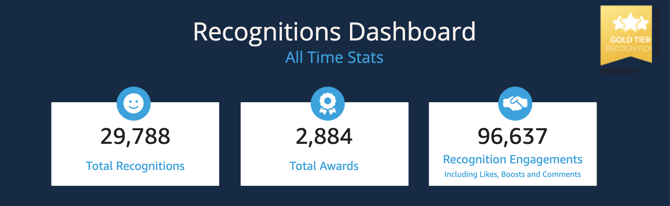
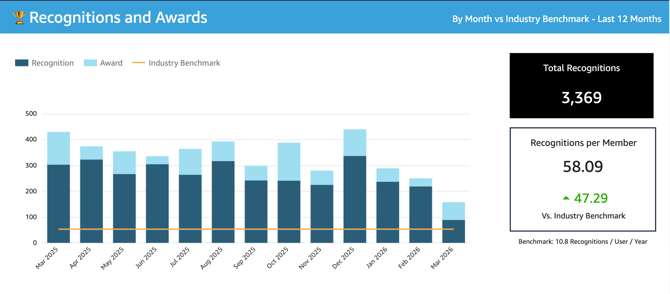
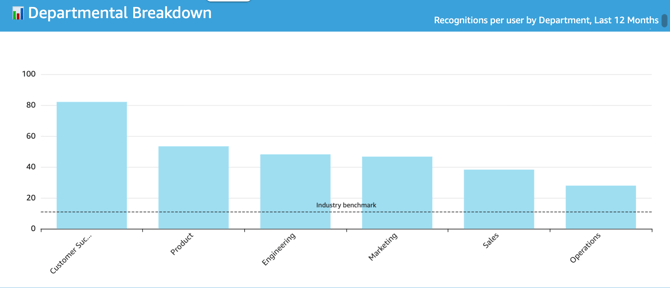
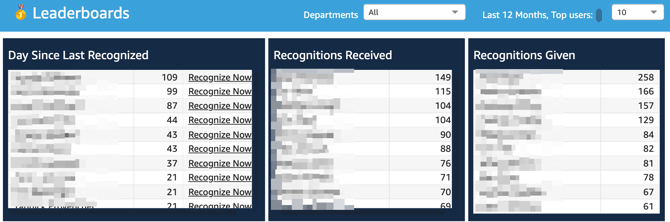
Note: The Leaderboards can be filtered by departments and also show either 10 or 25 top users, from the top right of the Leaderboards section dropdown.
Click Recognize Now button for those in the top days since last recognized to be redirected to a recognition from the activity feed for that user.
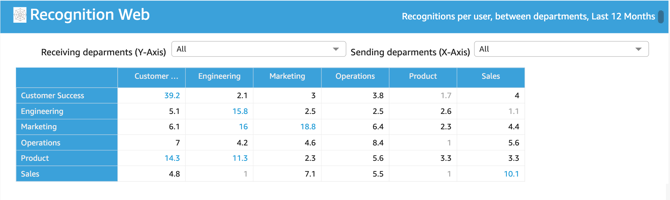
The Recognition Web allows you to select a receiving department and a sending department to see the cross-departmental recognitions per user between those departments. Just use the dropdown in the top of the recognition web to dive deeper.
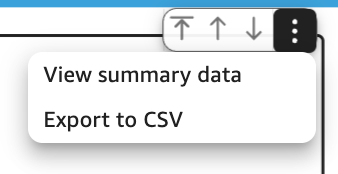
Each graph/data set can be exported to CSV by hovering over until you see the ellipsis menu, and then clicking to export to CSV.
Insights - Team Dashboard
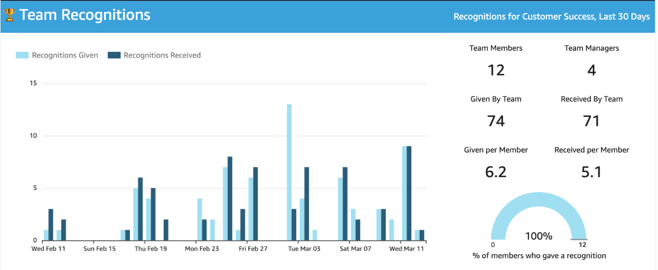
The Team Dashboard allows you to dive into recognitions within each team. You can filter by team in the top right of the dashboard to view stats for your/other team(s). If you do not filter, then it will display the whole company stats.
Key Areas:
- Team Recognitions- recognitions for all on team given/received in the last 30 days (or time period you set)
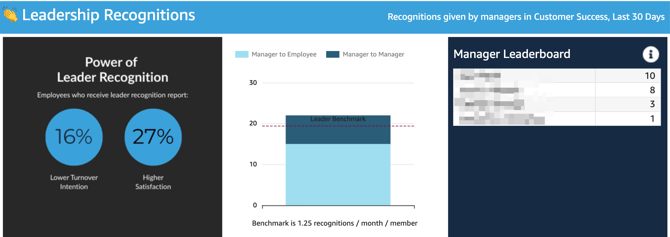
- Leadership Recognitions- recognitions provided from managers to employees or manager to manager and the leaderboard of manager recognitions

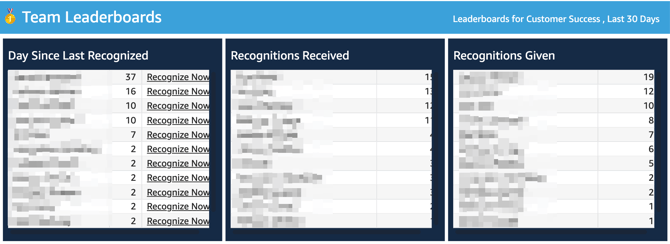
Click Recognize Now button for those in the top days since last recognized to be redirected to a recognition from the activity feed for that user.
Each graph/data set can be exported to CSV by hovering over until you see the ellipsis menu, and then clicking to export to CSV.
Insights - Manager Dashboard
The Manager dashboard will display recognition data for direct reports for the person viewing the insights dashboard. You can drill down to direct reports of your direct report in the below section.
Key Areas:
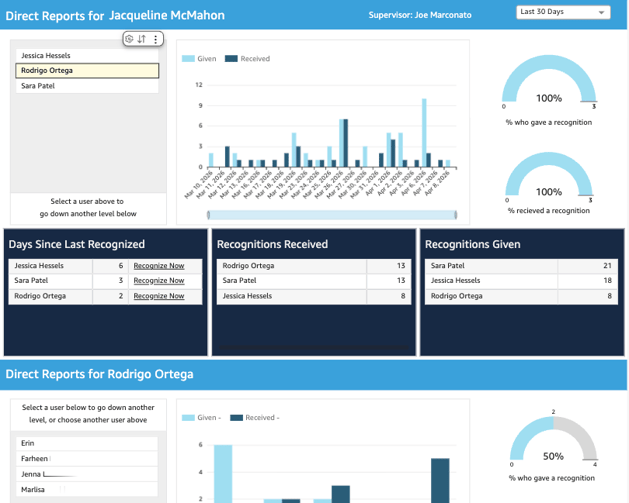
- Direct Reports for: This displays the direct reports and recognitions given and received by direct reports for the person viewing the dashboard. You can filter by time range "last 30 days" or other times
- Days since last recognized: This displays the days since each of your direct reports has been recognized, and allows you to recognize now.
- Recognitions Received/Given: The amount of recognitions received/given per direct report.
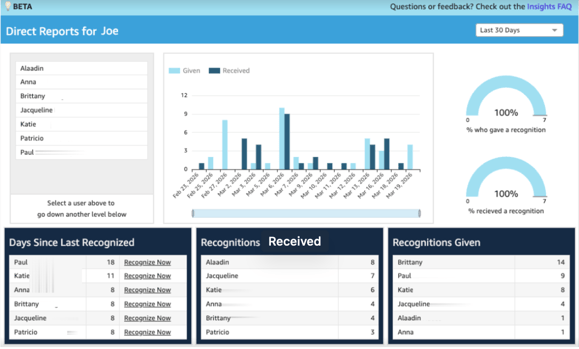 If you click into one of your direct reports from the top panel; it will provide the recognitions given/received for the direct reports of that user
-
- eg. click into direct reports for Jacqueline, see her direct reports below of Jessica, Rodrigo and Sara and their recognitions given/received.
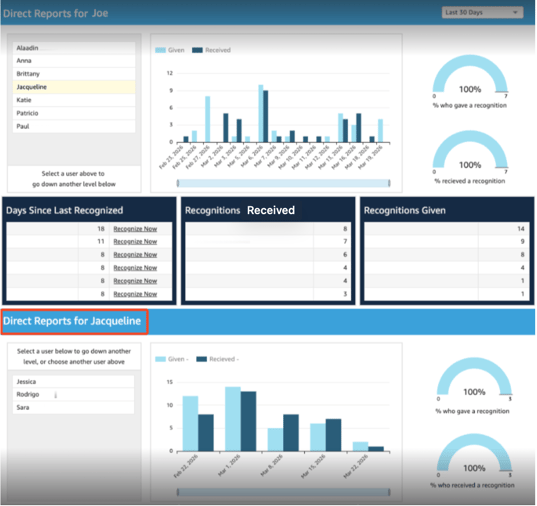
- eg. click into direct reports for Jacqueline, see her direct reports below of Jessica, Rodrigo and Sara and their recognitions given/received.
If you do not have any direct reports, then the dashboard will display: 
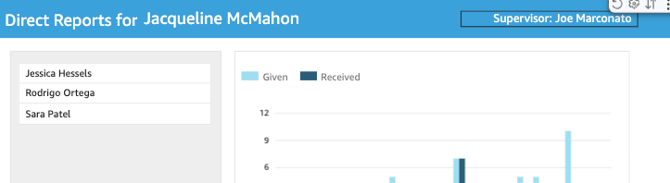
If you have the permission to view your supervisor and above reports, you will see beside the header of Direct Reports for your name, a "supervisor: Name" as below:
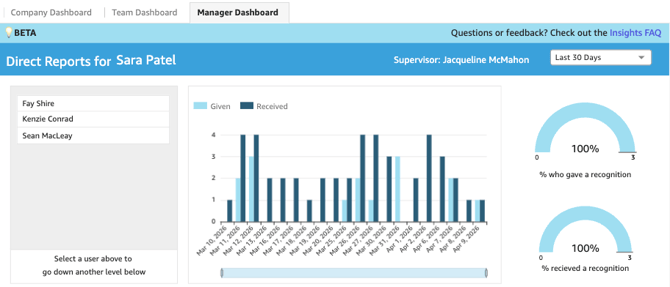
If you click that supervisor name, you can then see in the top left the direct reports switches from your direct reports to your supervisors direct reports:
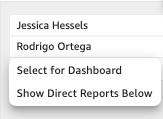
You can then select one of their direct reports, choosing if you want to select for this dashboard or the below dashboard- shown here is the below dashboard) to view more info on recognition activity for their team:
Click Recognize Now button for those in the top days since last recognized to be redirected to a recognition from the activity feed for that user.
Each graph/data set can be exported to CSV by hovering over until you see the ellipsis menu, and then clicking to export to CSV.
For more FAQs on the Insights Dashboard, see this article.
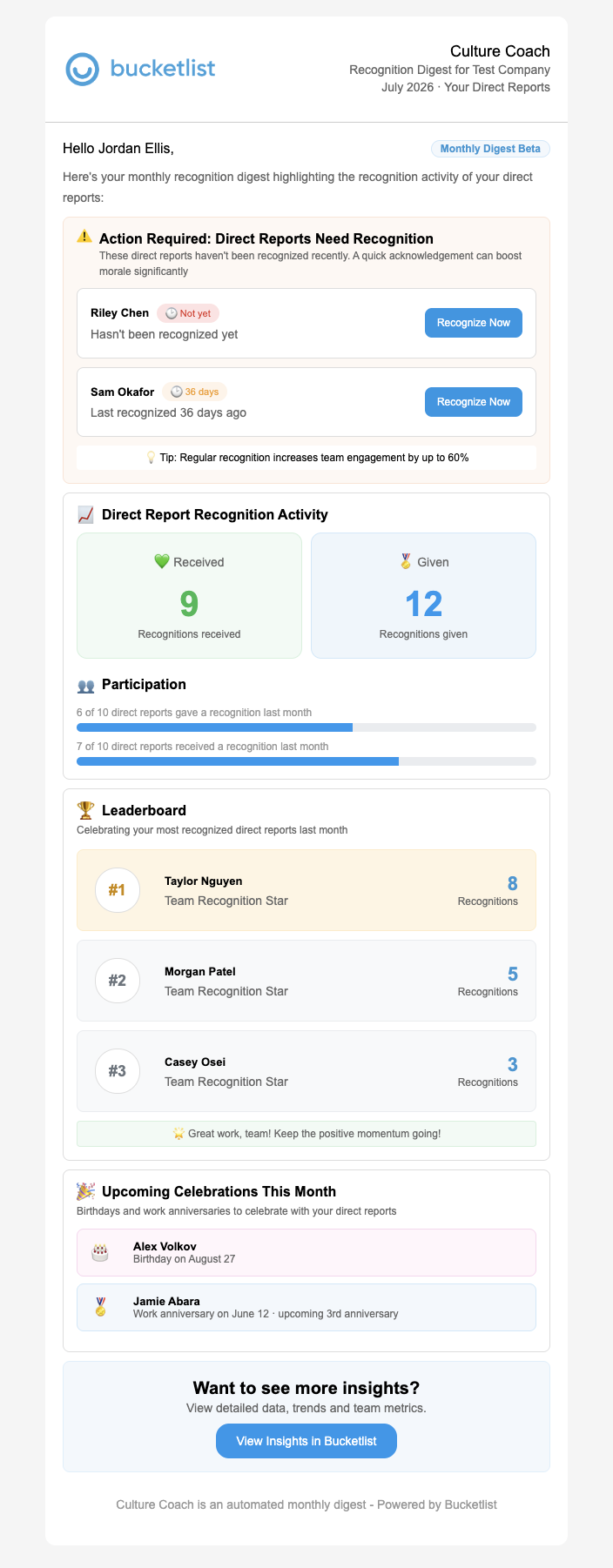
Culture Coach EmailsWanting to know how your team is recognizing each month? The Culture coach email, sent to managers, gives you a monthly recognition digest for your team. Note: Culture Coach Emails are sent to all users listed as managers and company admins- please reach out to your customer success manager if you would like to set these up.
Key Areas: Action Required Section: Action Required Section:
 Leaderboard: Leaderboard:
 Upcoming Celebrations This Month: Upcoming Celebrations This Month:
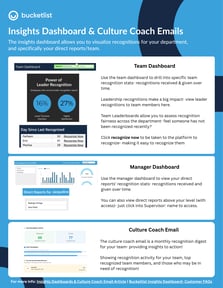
You can click "View Insights in Bucketlist" that takes you to the in-platform insights dashboard. One-PagerLooking for a one-pager to share with managers/leaders at your organization on the Insights Dashboard & Culture Coach Email? Download here!
From insight → to action That combination is what makes this so valuable.
Together, they help turn recognition from something managers have to remember to do into something that is much easier to build into how they lead their teams. |